
2026.2 IS HERE.
UNLOCK A NEW CLASS OF CAPABILITIES IN NOTCH.
MORE TOOLS. MORE CONTROL.
2026.2 brings more creative control, more ways to work, and some powerful new tools.
From custom shader code to ONNX AI image processing models, real-world 3D capture, and smarter ways to work with the Notch manual, this release gives you more ways to realise exactly what you're imagining. AI is part of this release and we want to be upfront about our approach. We've always been about giving artists the best tools available, and there are some genuinely useful AI tools out there. This release gives you the option to bring them into your workflow, on your own terms. You're in control.
Explore what’s new in 2026.2.
WHAT’S NEW?
Here are the four major features shipping with 2026.2, alongside a range of other features and improvements.
ONNX MODEL SUPPORT
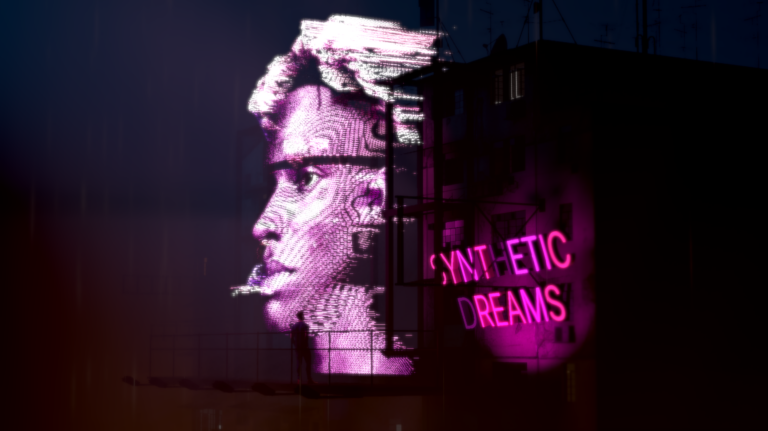
Import AI-based image processing modelsRun third-party ONNX AI image processing models or your own custom-trained ones directly inside Notch for tasks like background removal, segmentation, depth and motion estimation, upscaling, tracking, and more, many at real-time speeds.
Learn how it works
CUSTOM SHADERS
Load in your own HLSL shader codeWe’ve added a new set of nodes which let you load in your own HLSL shader code to make your own custom Post Effects, Particle Effectors, Clone Effectors, and geometry Deformers.
See example shaders
GAUSSIAN SPLATS
Importing and rendering supportImport Gaussian Splats and use them like any native object in your scene: ray traced, deformable, fully lit, with shadows, reflections, and interaction with other 3D objects.
View the details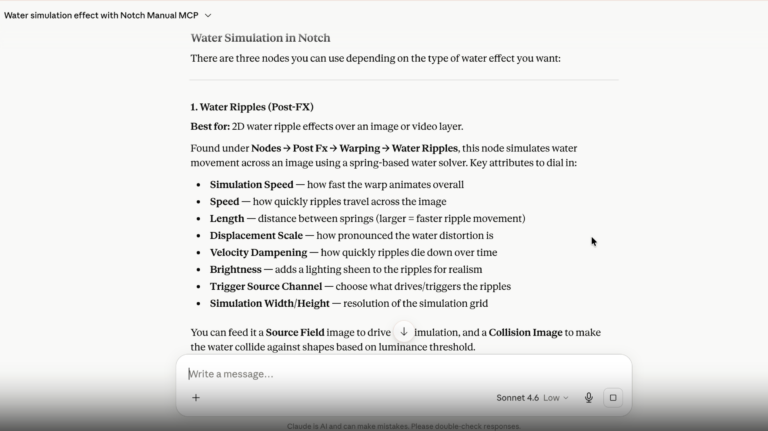
MANUAL MCP
Ask your LLM anything about NotchConnect the Notch User Manual directly to Claude, ChatGPT, or your LLM of choice and get answers to your Notch questions right when you need them.
Steps to set it upCheck out the full feature list here for a range of other features & improvements.
2026.2 RELEASE HIGHLIGHTS
Get a full walkthrough of everything new in 2026.2 with Armin, visual artist and Lead Trainer here at Notch. Watch below or click here to open on YouTube.
Notch 2026.2 Brings More Creative Control and More Ways to Work
DOWNLOAD 2026.2 NOW
DOWNLOAD 2026.2 NOW
See pricing options and pick your plan here.